Full-stack e-commerce platform

A complete online store, not a checkout plugin bolted onto a template.

CARTIVA gives you a real storefront with cart and multi-step checkout, 15 built-in themes you apply in one click, full product and order management, coupons, analytics dashboards, multi-currency pricing, and Razorpay payments — one admin panel, from first visit to fulfilled order.

15 built-in themes · Multi-currency · Razorpay payments · MERN stack, self-hostable

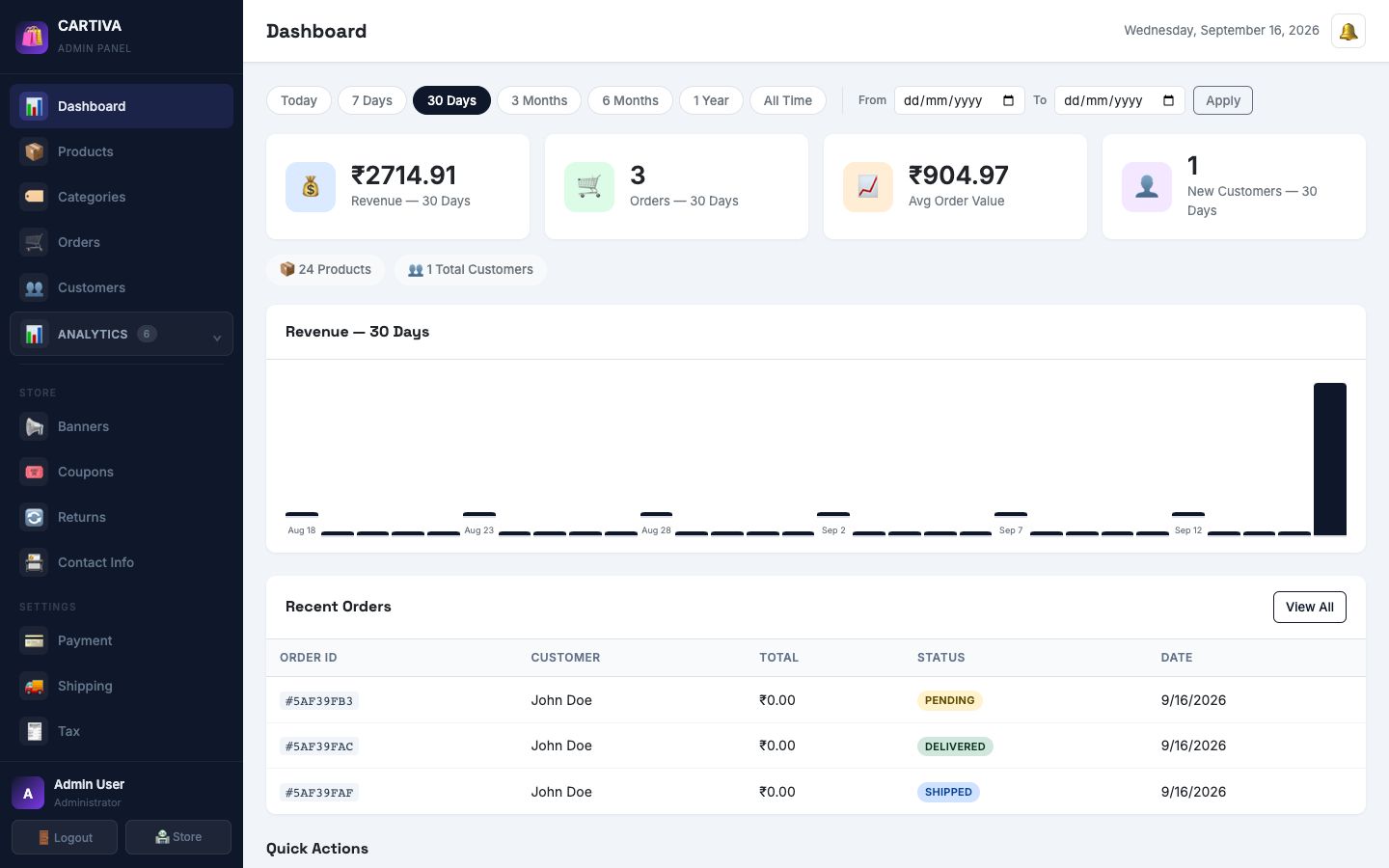
CARTIVA admin dashboard showing revenue, orders, average order value, and new customer stats with a 30-day revenue chart and a recent orders table
15Built-in themes
12Currencies supported
1-clickTemplates — colour + layout + fonts
6Analytics dashboards

Everything an online store actually needs.

Not a starter kit — a working storefront and admin panel, ready to sell.

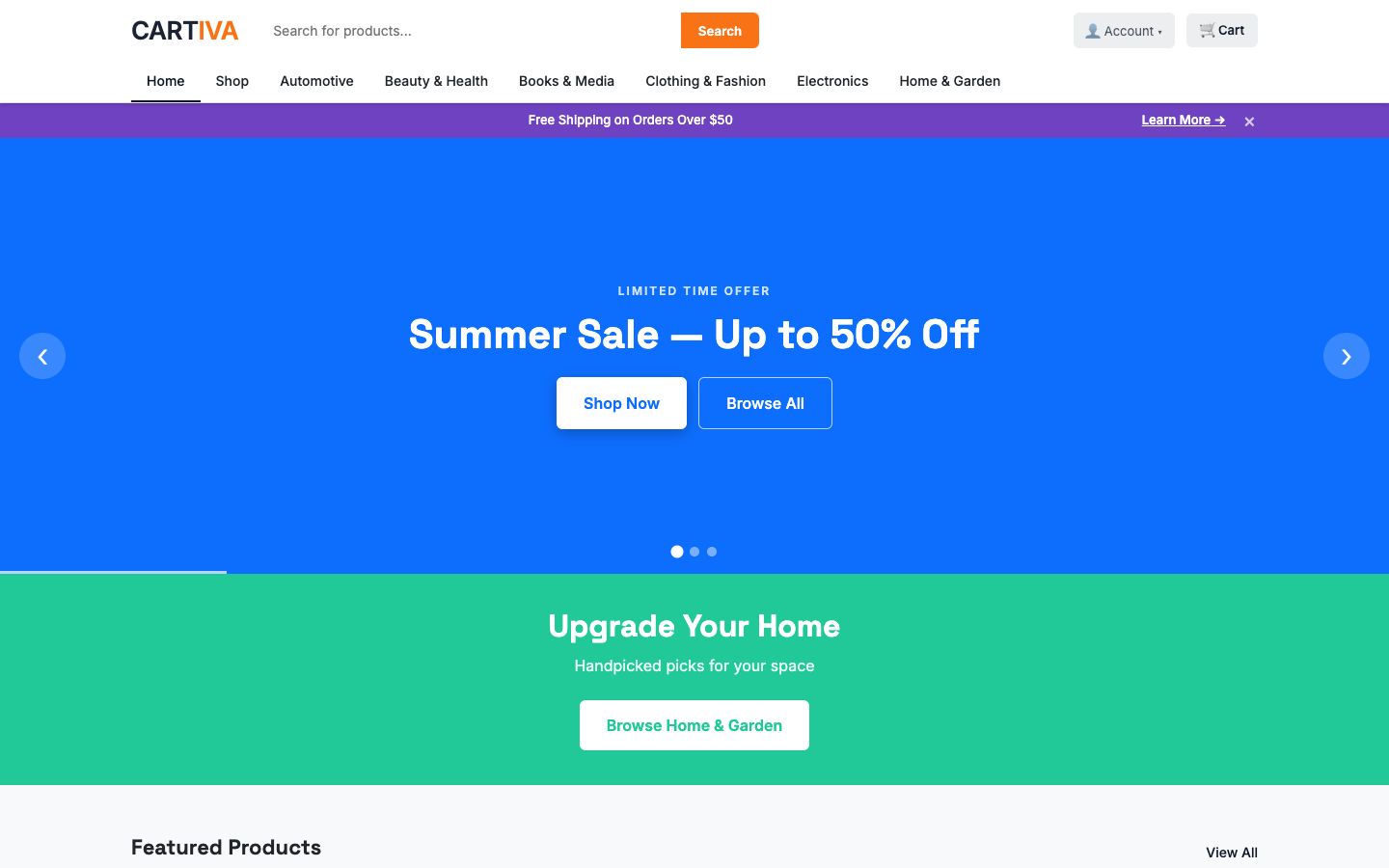
CARTIVA storefront home page with a hero banner slider, a promotional category strip, and a featured products grid
Customer Storefront

A real shopping experience — search, filter, browse by category.

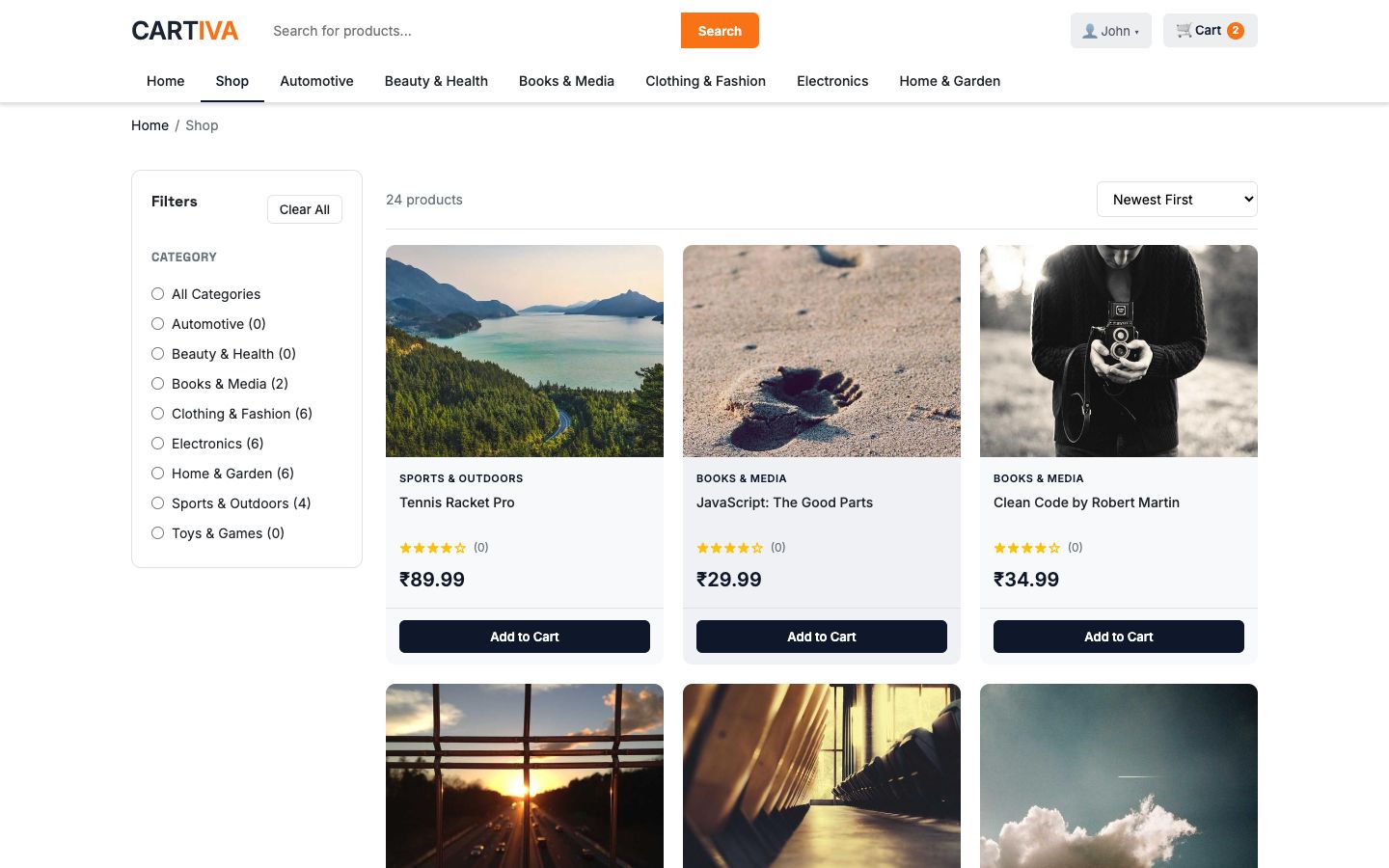
A hero banner slider, a promo strip, featured products, and category showcases lead into a full catalogue with search, category and price filters, sort options, and star ratings — everything a shopper expects from a real store.

  • Hero banner slider and promotional category tiles
  • Search, category, price, and rating filters on the shop page
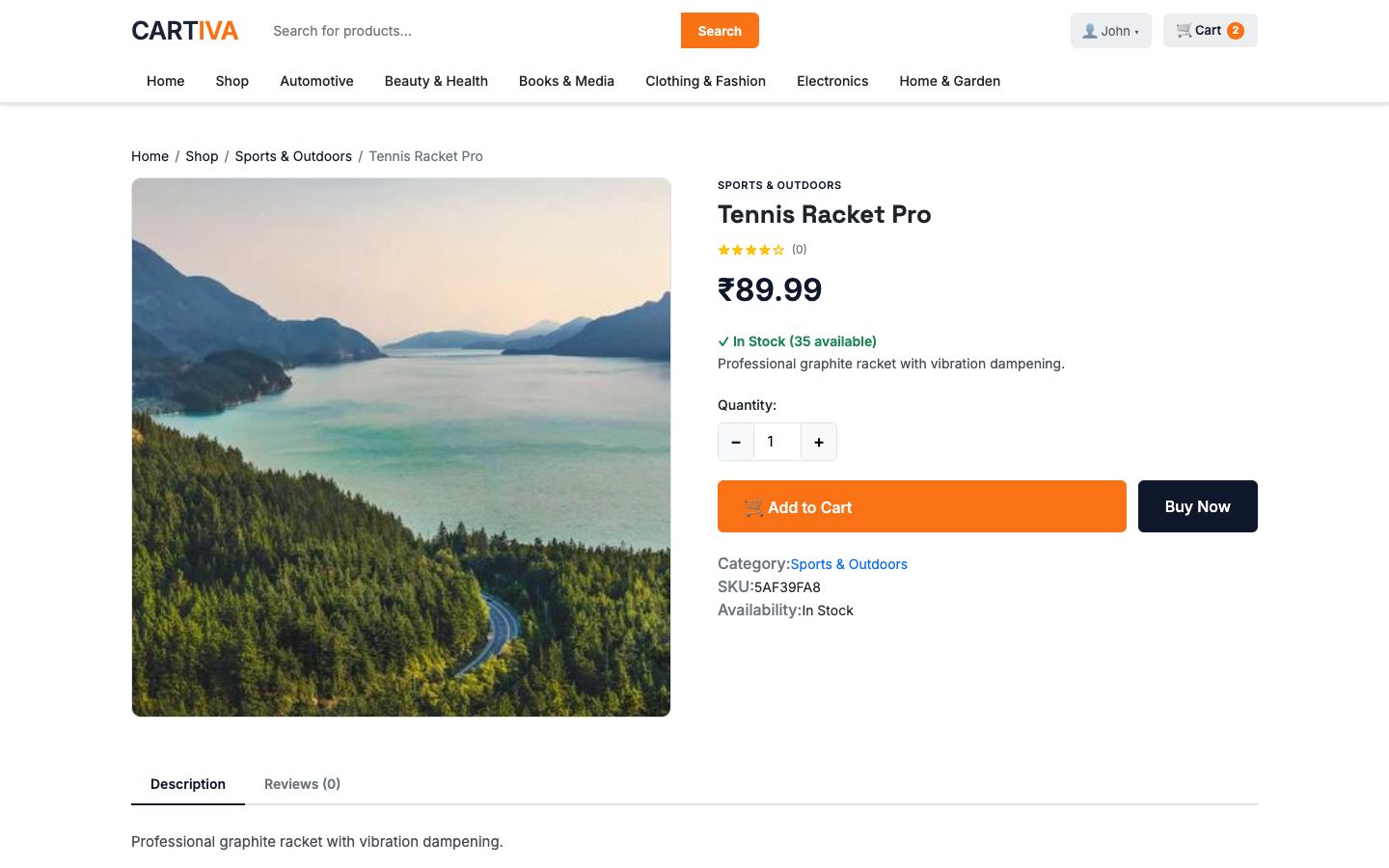
  • Product detail with image, quantity picker, and Buy Now
  • Fully responsive — the same storefront works on mobile
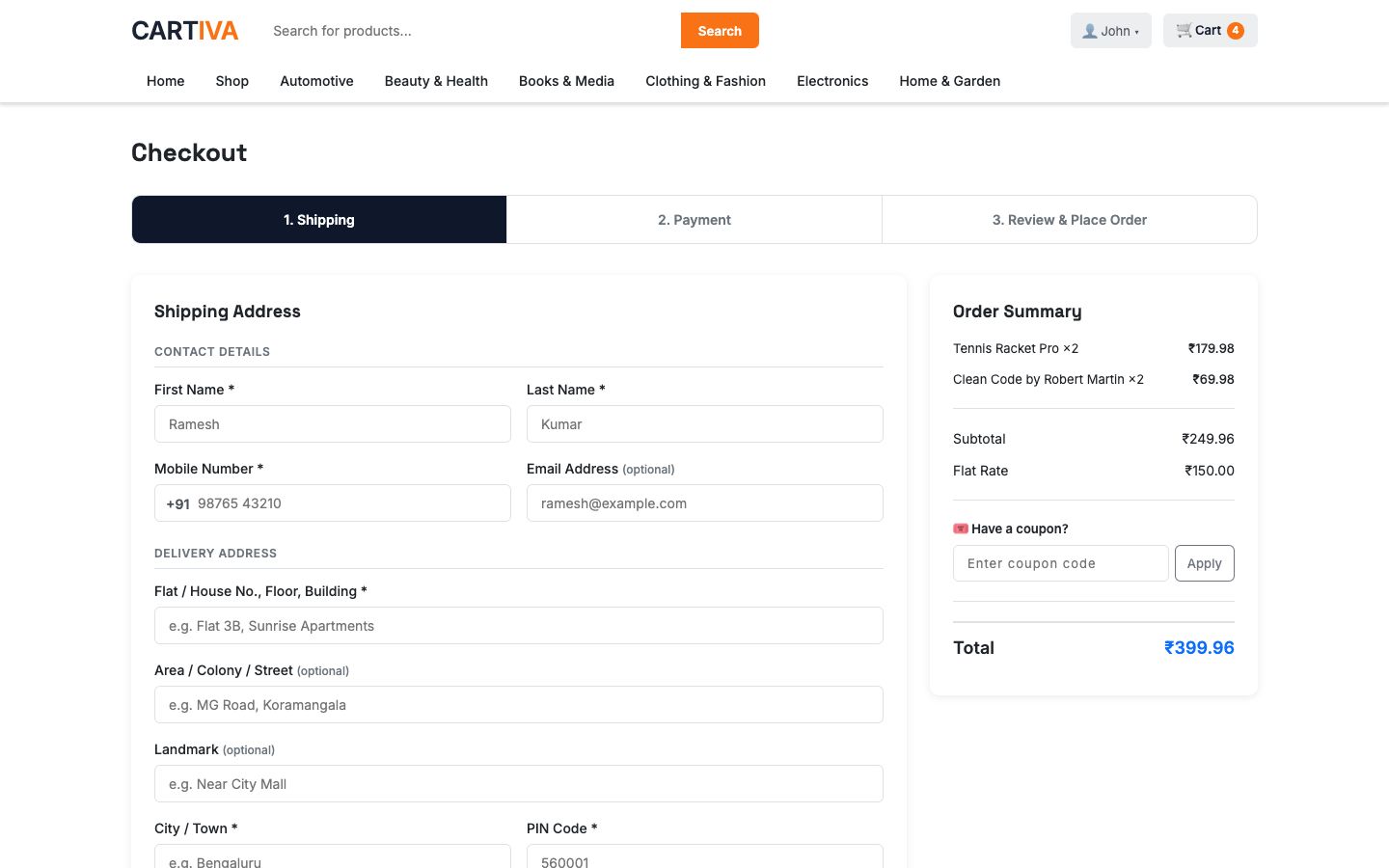
Three-step CARTIVA checkout showing the Shipping step with a full address form and an order summary with a coupon code field
Cart & Checkout

Three clean steps from cart to placed order.

Shipping → Payment → Review, with the order summary, coupon field, and running total visible the whole way through. Shipping is recalculated server-side at order time, so what's shown is always what's actually charged.

  • Shipping, Payment, and Review — one flow, no dead ends
  • Coupon code applied and validated live in the order summary
  • Server-side shipping recalculation — the client value is never trusted
  • Cart with quantity controls and per-item subtotal at every step
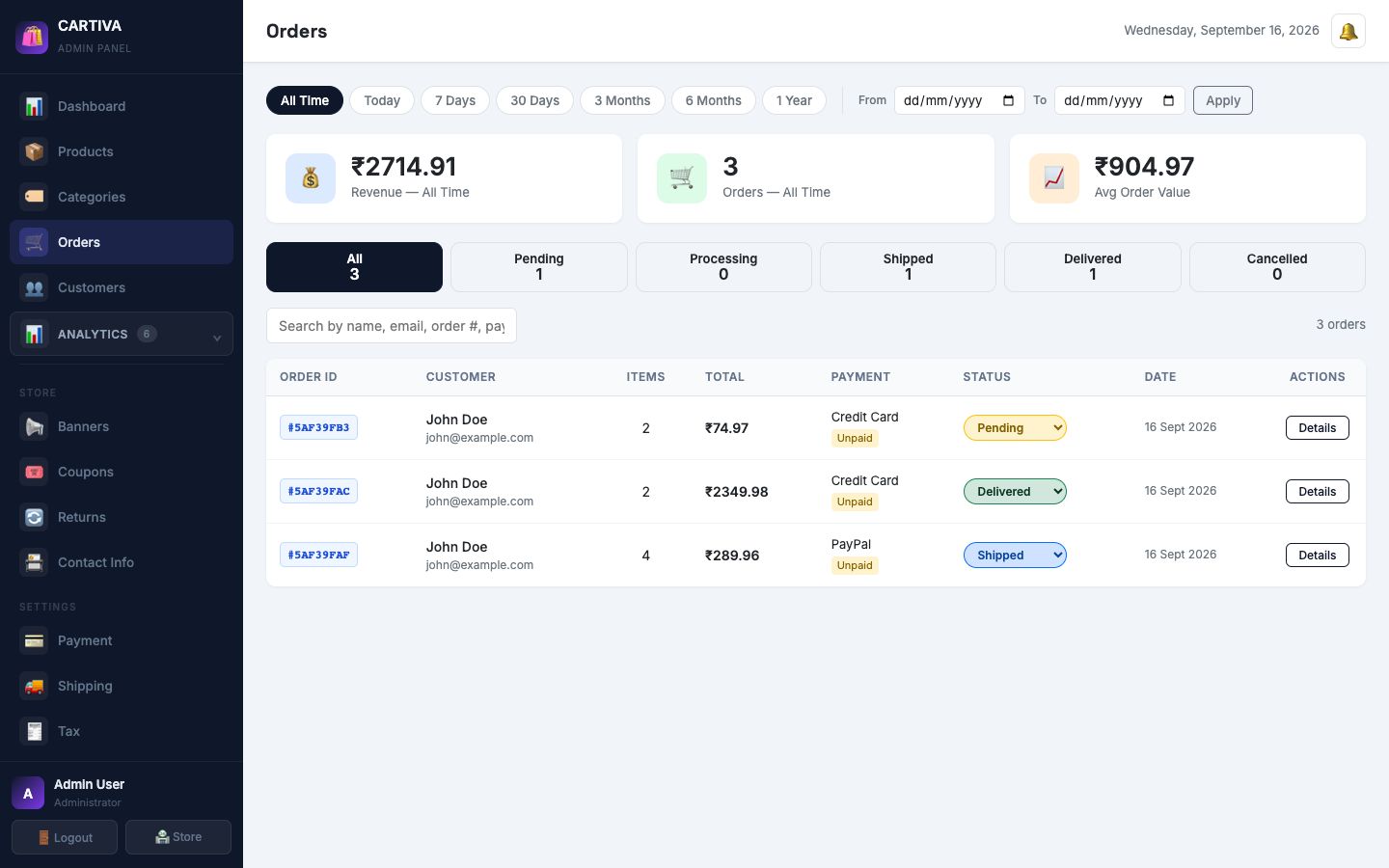
Admin Orders page with status filter tabs, a searchable order table showing customer, total, payment method, and a status dropdown per order
Product & Order Management

Run the whole catalogue and every order from one place.

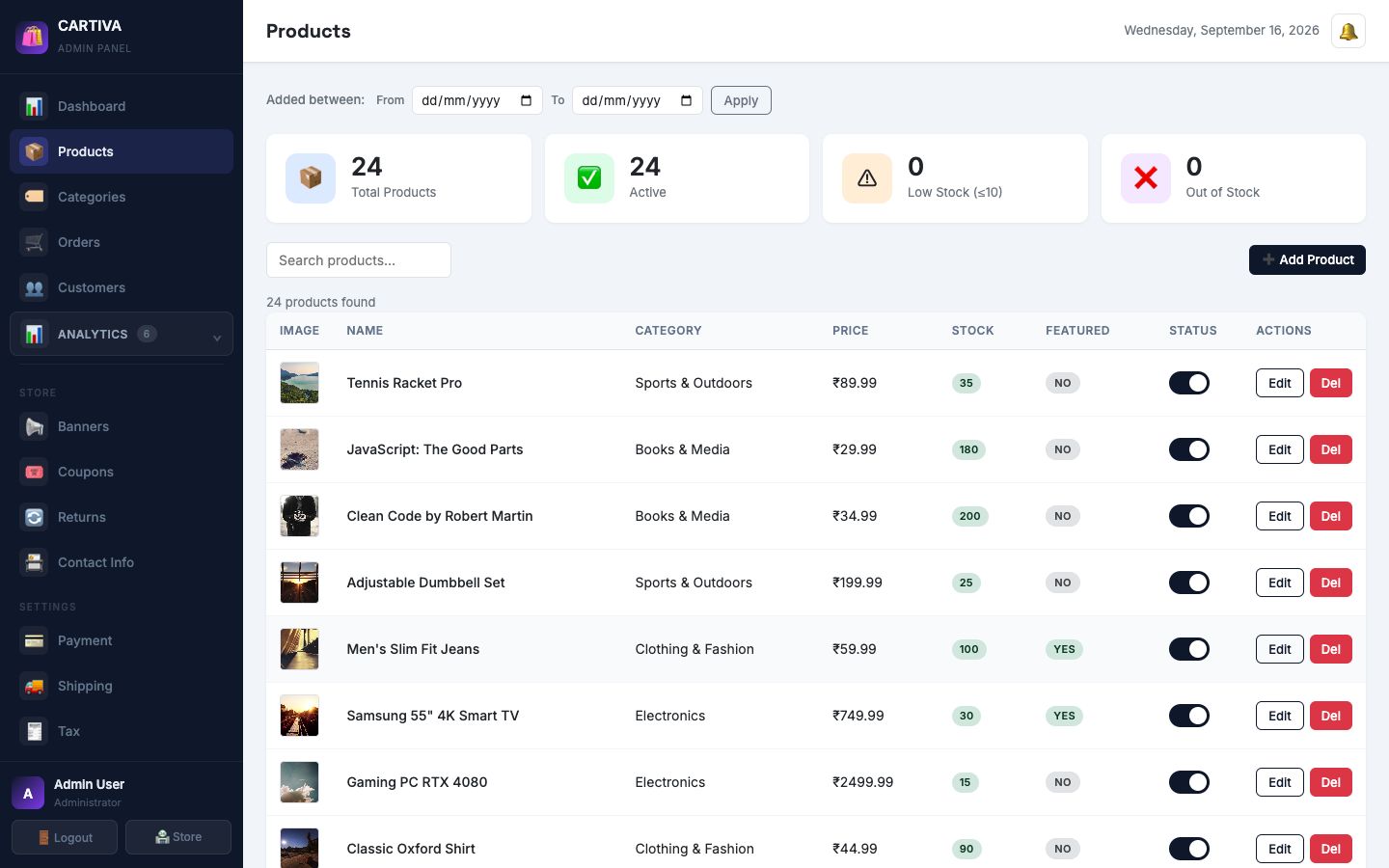
Add and edit products with images, stock, and a featured flag; manage categories with live product counts; and take an order from Pending through Shipped to Delivered with one dropdown, filterable by status and searchable by customer or order ID.

  • Product CRUD with image preview, stock, and featured toggle
  • Category management with per-category product counts
  • Order status pipeline: Pending → Processing → Shipped → Delivered
  • Search orders by customer name, email, or order number
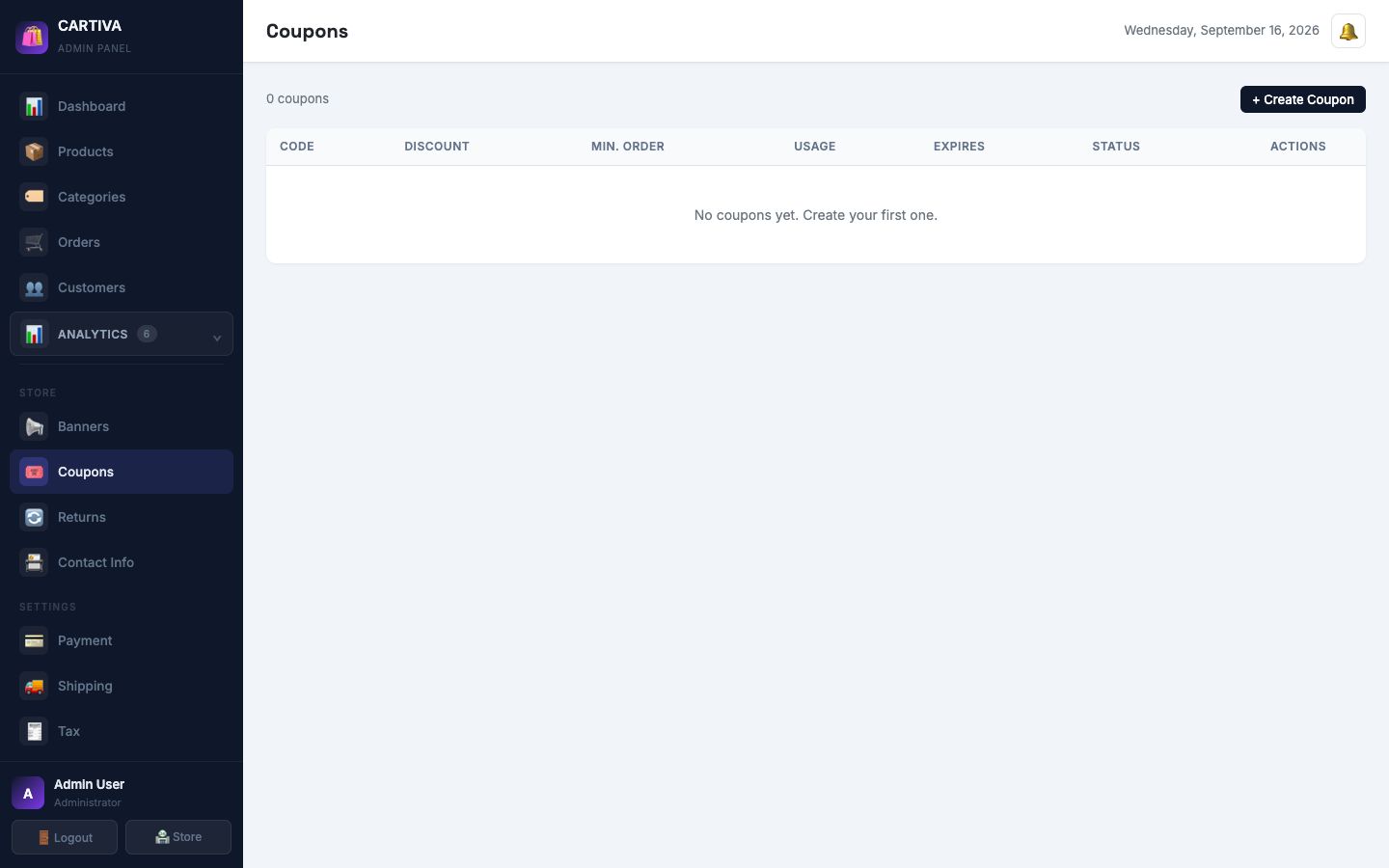
Admin Coupons page listing discount codes with type, value, and usage
Coupons & Promotions

Run a sale without touching a single product's price.

Percentage or fixed-amount coupon codes with a minimum order value and a usage limit, applied live in the cart and checkout. Analytics → Coupons then shows exactly how each code performed — redemptions and revenue influenced.

  • Percentage or fixed-value discount codes
  • Minimum order value and a usage limit per coupon
  • Applied and validated live during checkout
  • Dedicated Coupons analytics dashboard for redemption performance
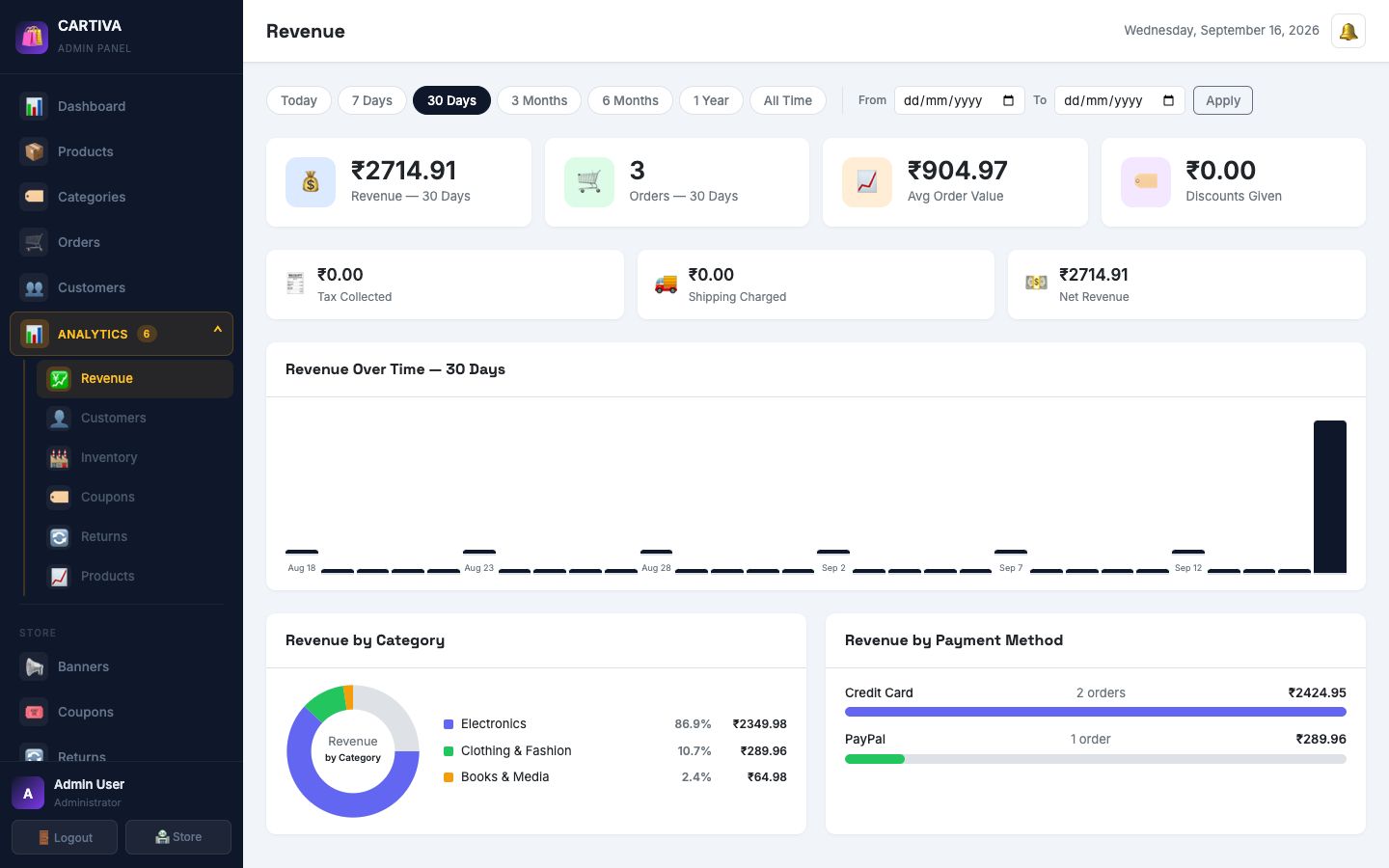
Admin Revenue Analytics dashboard with charts and date range filters
Analytics, Not Just a Dashboard

Six dedicated dashboards — revenue down to returns.

Beyond the main Dashboard's at-a-glance numbers, a full Analytics section breaks out revenue trends, customer behaviour, inventory health, coupon performance, return rates, and product performance — each with its own date-range filters.

  • Revenue, Customers, Inventory, Coupons, Returns, and Products dashboards
  • Today / 7 days / 30 days / 3 months / 6 months / 1 year / custom range
  • Recent orders and quick actions right on the main Dashboard
  • A live badge on Returns for anything waiting on approval

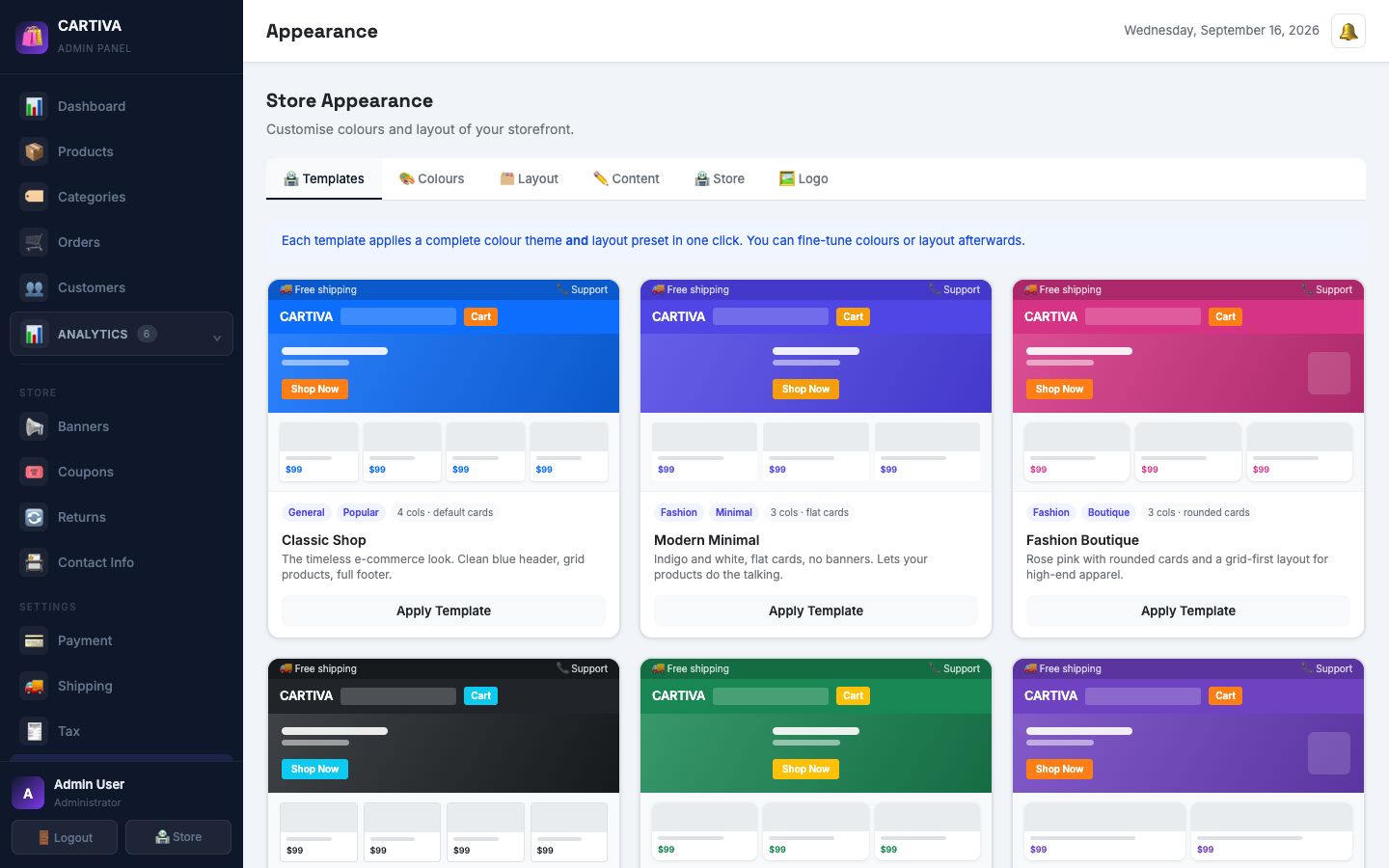
15 built-in themes — pick a look, launch in one click.

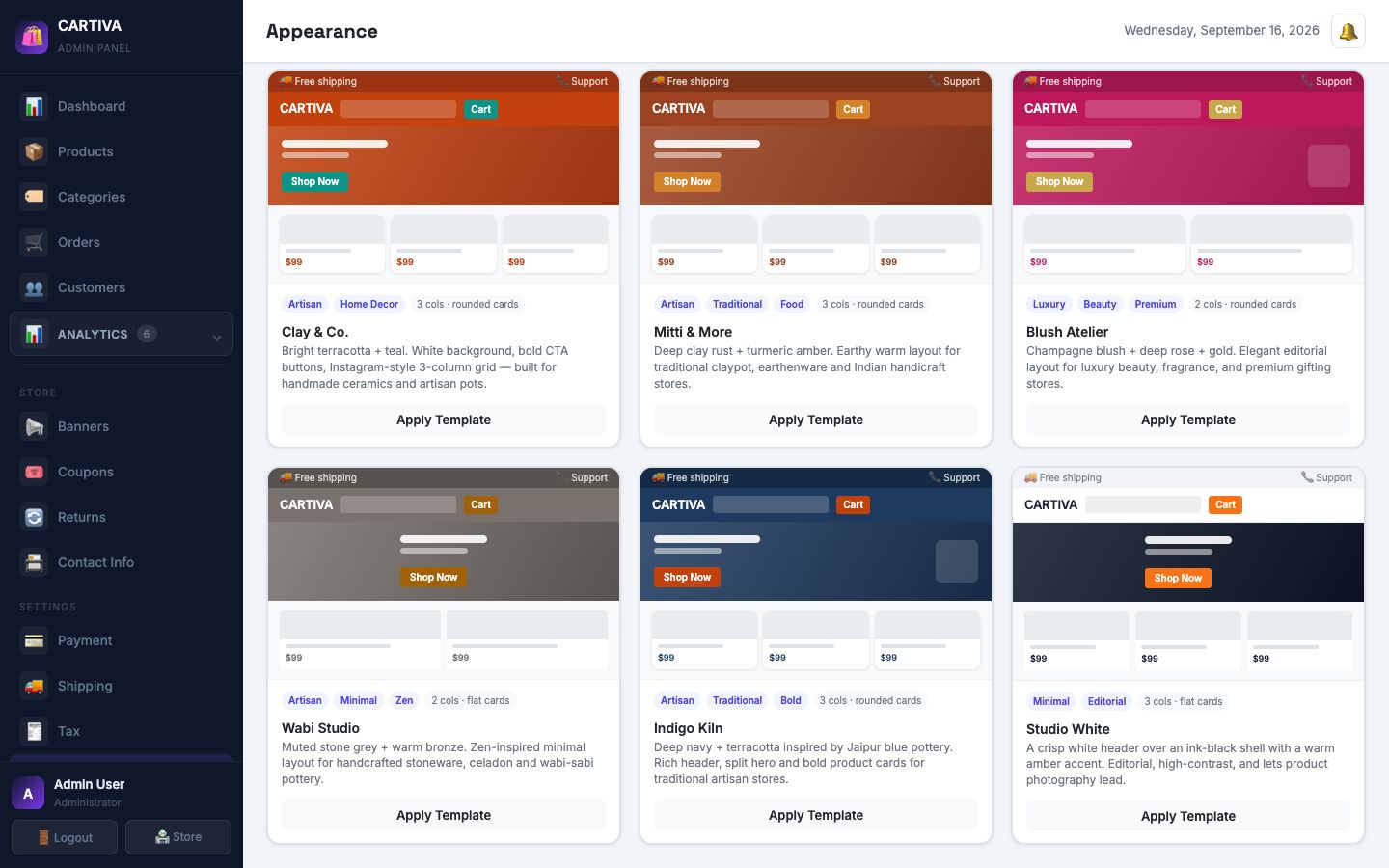
Each template sets a full colour palette, font pairing, and layout together. Fine-tune any colour afterwards, right down to a plain white header.

Theme template gallery showing Classic Shop, Modern Minimal, and Fashion Boutique templates with live colour previews
Template GalleryClassic Shop, Modern Minimal, Fashion Boutique & more
Studio White theme card with a crisp white header preview, and Clay & Co., Mitti & More, Blush Atelier, Wabi Studio, and Indigo Kiln template cards
Studio WhiteClean white header, ink-black shell, amber accent
Admin Products page with a searchable product table, stock levels, and edit actions
Product CatalogueFull CRUD, image preview, stock

One codebase, any kind of store.

The 15 themes are built around real categories — pick the one closest to what you sell and fine-tune from there.

Fashion & Boutique

Rose Pink, Fashion Boutique, and Blush Atelier — rounded cards and an editorial, grid-first layout.

Electronics & Tech

Tech Store's dark, no-nonsense layout with a cyan accent — built for gadgets and specs.

Food & Organic

Nature & Organic and Mango Grove — warm, earthy palettes suited to fresh and eco brands.

Artisan & Handmade

Clay & Co., Mitti & More, Wabi Studio, and Indigo Kiln — earthy tones for handcrafted goods.

See it before you sign up.

Real screens from the live demo — nothing staged.

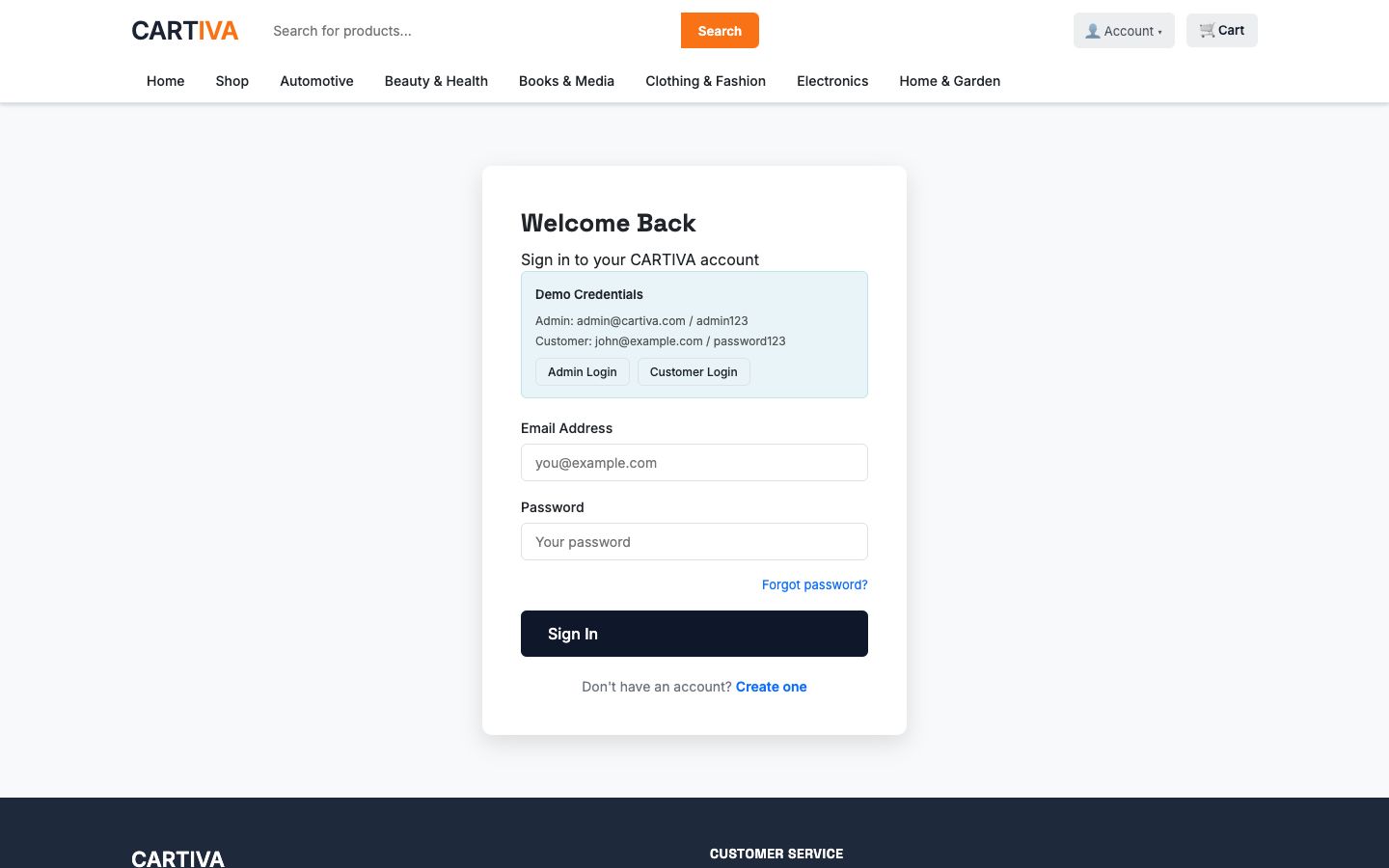
CARTIVA login page with demo credentials and quick-fill Admin/Customer login buttons
LoginCustomer & admin accounts
Shop page with category filters, sort options, and a product grid
ShopFilter, sort, browse by category
Product detail page with image, price, stock, quantity picker, Add to Cart and Buy Now buttons
Product DetailAdd to Cart or Buy Now
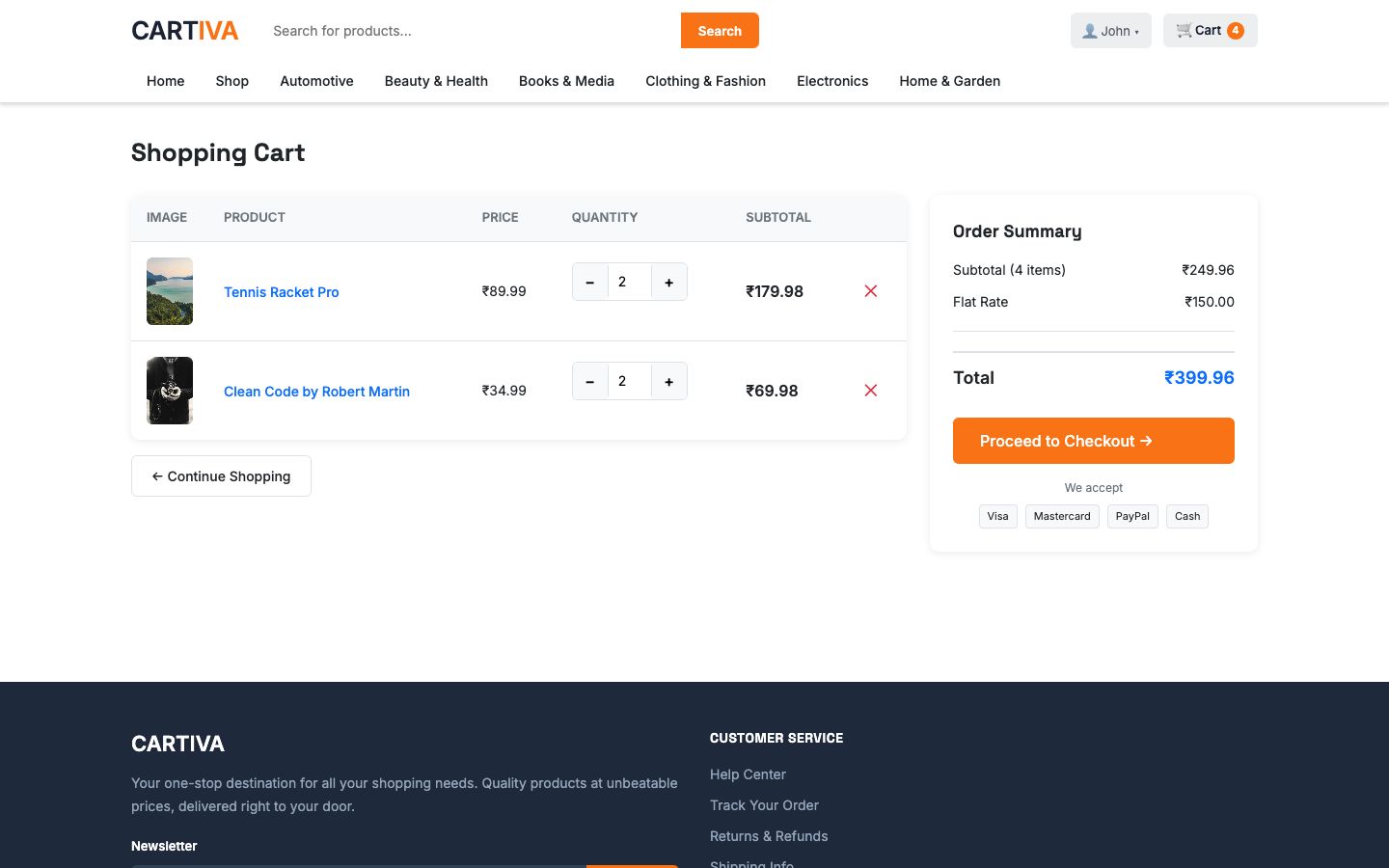
Shopping cart with two items, quantity controls, and an order summary
CartQuantity controls, live subtotal
Admin dashboard with revenue, orders, and average order value stats
Admin DashboardRevenue, orders, at a glance
Admin orders table with status filters and per-order actions
OrdersFilter, search, update status

Frequently asked questions

Can I change my store's look without touching code?

Yes. Appearance → Templates has 15 ready-made themes — each one applies a complete colour palette, font pairing, and layout (header style, hero style, product grid columns, card style) in a single click. You can fine-tune any colour afterwards, including a plain white header with the rest of the page kept in the theme's accent colours.

Does checkout need an account?

A shopper needs an account to check out, but the flow itself is a fast three steps — Shipping, Payment, and Review — with the cart, coupon field, and running total visible throughout.

Can I run discount codes and sales?

Yes. Coupons support percentage or fixed-amount discounts, a minimum order value, and a usage limit, applied live at checkout. Analytics → Coupons shows redemption performance per code.

What payment methods does CARTIVA support?

Razorpay is built in for card, UPI, and netbanking payments, configured from Settings → Payment. Cash on delivery is supported as a fallback.

Can I sell in a currency other than the default?

Yes. Twelve currencies are built in — pick one from Appearance and every price across the storefront and admin panel formats itself accordingly.

What analytics do I get out of the box?

Dedicated dashboards for revenue, customers, inventory, coupon performance, returns, and product performance — each with its own date-range filters, reachable from the Analytics section of the admin sidebar.

Is CARTIVA open source / self-hostable?

Yes. CARTIVA is a MERN-stack application (React, Node.js/Express, MongoDB) you can run locally or deploy to your own server — this site's own live demo runs on exactly that setup.

How do returns work?

A customer can request a return from their order history; it lands in Admin → Returns as pending, with a badge count in the sidebar, ready for approval or rejection — tracked in its own Returns analytics dashboard.

Try it yourself — the whole store, live.

Browse the storefront as a shopper, or sign in to the admin panel and click through every feature above.

Demo admin: admin@cartiva.com / admin123 · Demo customer: john@example.com / password123